GitHub Copilot vs Cursor: Security Comparison and Coding Best Practices (2026)
Both tools are now central to how developers write code. Here's the comparison most people skip: how each tool affects the security of what you actually ship.
Key Takeaway
GitHub Copilot vs Cursor is not the security decision you think it is. They are both LLM-backed tools that optimize for working code, not safe code. The variable that actually matters is your review discipline. Swapping tools does not change that.
How They Work: Different Workflows, Same Risk
GitHub Copilot started as an inline autocomplete layer sitting inside your existing editor. It watches what you type, predicts the next line or block, and offers a completion you can accept or dismiss. Microsoft has expanded it significantly since - Copilot Chat, Copilot Edits, and a full agent mode in VS Code now let it touch multiple files in a single session. But the default experience is still suggestion-by-suggestion.
Cursor is a VS Code fork built around a different premise. Its Composer (now called Agent mode) was designed from the start to make multi-file changes based on a natural language description. You describe what you want, Cursor plans it across multiple files, and stages a diff for you to review. The interaction model is closer to "work with a junior developer" than "accept or reject a line suggestion."
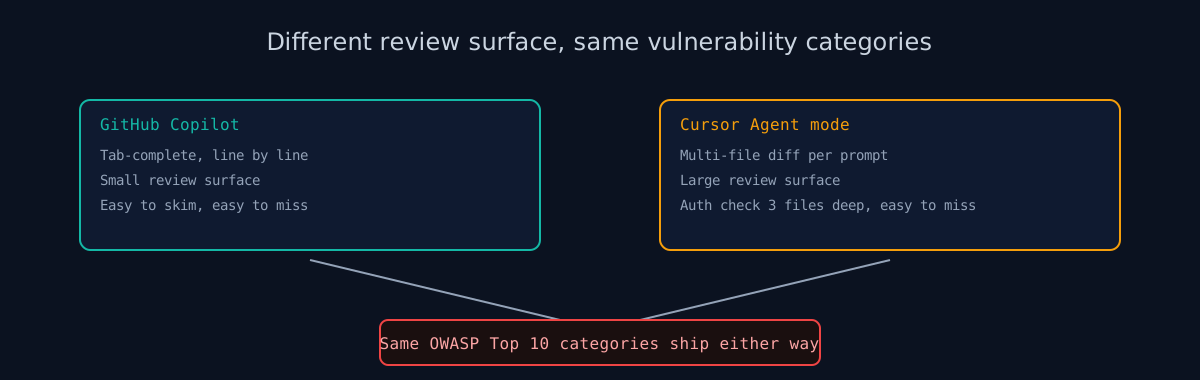
That distinction matters from a security standpoint. Single-line suggestions are easy to review. Multi-file diffs - especially ones that touch auth logic, database queries, and API endpoints in a single change - are not. Cursor's Agent mode increases the review surface area per interaction. Whether that surface gets reviewed depends entirely on the developer using it.
The Shared Root Problem
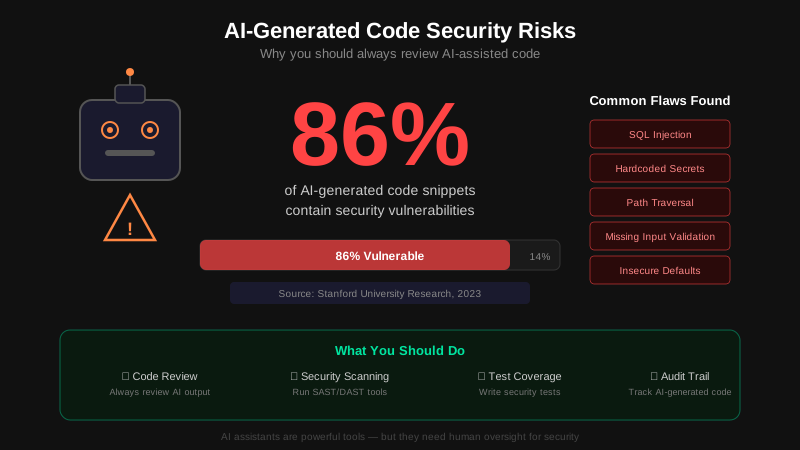
In 2023, researchers at Stanford studied what happened to code quality when developers used AI coding assistants. Participants with access to an AI tool wrote less secure code than the control group - across multiple programming tasks and languages. The uncomfortable part: the AI users were more confident their code was secure, despite the evidence pointing the other way.
Snyk separately analyzed thousands of AI-generated code snippets and found security issues in approximately 80% of them. These were not obscure edge cases. They were the OWASP Top 10: SQL injection via string concatenation, missing authentication, hardcoded credentials, disabled CSRF protection.
Neither study was designed with Cursor in mind. The findings apply to both tools anyway, because the underlying problem is the same: the model optimizes for code that works. Security controls add complexity, and training data rarely modeled them explicitly. Unless you ask, the model skips them.
You can switch from Copilot to Cursor and still ship the same categories of vulnerabilities. The interface is not where the risk lives.
Where They Differ: Security Implications
There are real differences between the two tools, but they're about workflow and ecosystem - not raw vulnerability rates.
- Native security integration. GitHub Copilot has direct ties to GitHub Advanced Security: CodeQL static analysis, secret scanning, and dependency alerts are built into the same platform. If your team already uses GitHub for code review and CI, Copilot suggestions appear alongside that security context. Cursor has no native equivalent - it integrates with whatever your editor and CI pipeline already have.
- Scope of changes per interaction. Copilot suggestions are typically scoped to a function or block. Cursor's Agent mode can touch a dozen files in one shot. Both require review; the latter demands more of it. A Cursor-generated auth refactor that looks clean at the diff summary level may have dropped a permission check three files deep.
- The "Apply" button problem. Both tools have a friction-free way to accept changes without reading them carefully. Copilot's Tab key and Cursor's Accept button both exploit the same cognitive bias: if it looks right, it probably is. It isn't always.
- Context awareness. Cursor's Composer can be given explicit context - your codebase rules, security requirements, architectural constraints. Prompt engineering for security ("always use parameterized queries, never disable CORS, require authentication on all write endpoints") is more effective when the tool holds that context across a multi-file session than when it's re-stated per suggestion.
If your team is already deep in the GitHub ecosystem and values native security tooling integration, Copilot has a structural advantage there. If you prefer a more autonomous agent workflow and are willing to invest in explicit security context in your Cursor rules, the security outcomes can be comparable - provided the review discipline is there.
Coding Best Practices for Both Tools
The following coding best practices apply whether you use Copilot, Cursor, or both. None of them are optional if security matters to you.
- Add security requirements to every prompt. "Write a login endpoint" generates insecure code. "Write a login endpoint with rate limiting, CSRF protection, parameterized queries, and bcrypt password hashing - never store plaintext credentials" generates better code. The model will follow explicit instructions more reliably than it will infer security requirements from context.
- Never accept changes without reading them. For Copilot: no blind Tab. For Cursor Agent: open the diff view and read every touched file, not just the summary. The time saved by accepting quickly is lost many times over when you ship a vulnerability.
- Run automated security scanning in CI. Semgrep, Bandit (Python), and ESLint security plugins catch patterns that pass human review because they look correct. Make the scanner a required CI check, not an optional one.
- Use pre-commit hooks for secrets detection. Hardcoded API keys, tokens, and passwords are consistently among the most common AI-generated code flaws. Block them before they reach your repository. They are cheaper to catch at commit than after a breach.
- Scan your deployed site after every significant release. Configuration drift happens. What was secure at deploy time may not be secure after an AI-assisted update touches your auth flow, headers, or cookie configuration. Run ismycodesafe.com after major deployments to catch regressions before your users do.
Check your website right now
200+ security checks in 60 seconds. Free, no signup required.
Scan My Website (Free)Claude AI helped me with phrasing and proofreading in this article.
ismycodesafe.com Security Team
We run automated security scans on thousands of websites daily, combining static analysis, SSL/TLS inspection, header auditing, and CVE lookups. Our team tracks OWASP, NIST, and evolving compliance requirements (GDPR, NIS2, PCI DSS) to keep these guides accurate and practical.
Related Articles
AI-Generated Code: The Hidden Security Crisis
Full guide to AI code security risks and mitigation.
Detecting AI-Generated Code on Your Website
How to spot AI fingerprints in code and content.
SAST vs DAST: When to Use Each (and Why You Need Both)
Static analysis catches the insecure pattern Copilot suggested. Dynamic testing catches what it does once deployed.